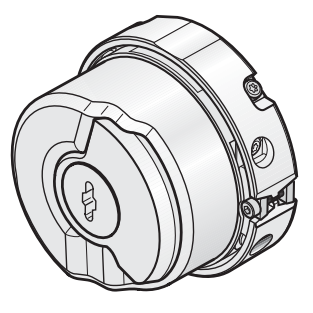
SIRIUS USB PC cable 3UF7941-0AA00-0 software driver download
The driver is offered in form of a download file. Installation notes The software is offered in form of the download file SIRIUS_USB_PC_CABLE_DRIVER_V2123620.zip.
To install the driver for the SIRIUS USB PC cable 3UF7941-0AA00-0, please proceed as follows:
- Copy the file SIRIUS_USB_PC_CABLE_DRIVER_V2123620.zip to your local hard disc and unzip it.
- Run Setup.exe.
- Connect the SIRIUS USB PC cable to your computers USB interface. Once the cable is recognized, the driver is installed automatically.
- After the driver has been installed, a new local device (COM) is available when accessing the SIRIUS ES “Open online” function. To find out which COM interface is assigned to your SIRIUS USB PC cable, please check the settings in Control panel --> Administrative tools --> Computer management --> Device manager
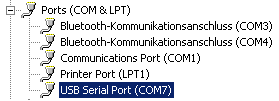
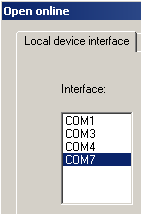
In this example here, the COM7 interface is used. To work with the SIRIUS USB PC cable in SIRIUS ES, select the function Switching device --> Open online and open the tab Local device interfaces and select COM7.
Download
SIRIUS_USB_PC_CABLE_DRIVER_V2123620.zip (2,2 MB)